
Download WodBoard – gym, fitness, workout, WodBoard, training, health, exercise, membership, class booking, strength training, PR tracking, gym management
Overview
WodBoard is a mobile application designed for gym enthusiasts and fitness professionals seeking a streamlined way to manage their health and fitness routines. As part of the lifestyle category, it serves as a digital companion for individuals who regularly engage in structured workouts, strength training, and class-based fitness programming. The app enables users to access their WodBoard account directly from their Android device, simplifying the management of gym memberships and workout schedules.
It is particularly useful for tracking personal records (PRs), logging scores from training sessions, and monitoring workout history. The platform also supports class booking and waitlist joining, helping users secure spots in popular sessions. A unique feature available exclusively to gym staff is gym management functionality, allowing authorized personnel to oversee class schedules and member participation.
The app is intended for active gym members who use WodBoard as their primary fitness platform. To use the app, a valid WodBoard account and gym membership are required. The developer, WodBoard, has positioned the app as a comprehensive tool for both personal fitness tracking and operational management within fitness facilities.
Key Features & Capabilities
- Class Booking and Waitlist Management – Users can reserve spots in upcoming fitness classes or join waitlists when sessions are full, ensuring better access to popular training programs.
- Workout Score Logging – The app allows users to record performance metrics from workouts and strength training sessions, enabling accurate tracking of progress over time.
- Training History and PR Tracking – Detailed logs of past workouts are stored, with a focus on identifying personal records, helping users measure improvement and set new goals.
- Real-Time Push Notifications – Users receive timely alerts when a waitlisted class becomes available, improving response speed and increasing chances of securing a spot.
- Automatic Class Sign-In – When users bring their phone to a class, the app can automatically check them in, reducing manual processes and streamlining attendance tracking.
- Gym Management (Staff-Only Feature) – Authorized gym staff can access tools to manage class schedules, monitor attendance, and oversee membership activities directly through the app.
These capabilities are designed to enhance user engagement and operational efficiency. For fitness enthusiasts, the ability to log workouts and track PRs supports long-term motivation and goal setting. For gym staff, the management tools offer a centralized way to handle class logistics. The app integrates seamlessly into daily fitness routines, reducing friction between training, scheduling, and record-keeping. The absence of in-app purchases or advertisements ensures a focused user experience.
User Interface, Workflow & Performance
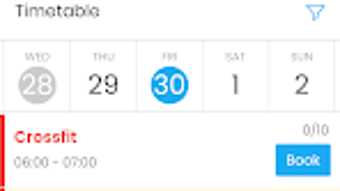
The user interface of WodBoard is designed with simplicity and functionality in mind, prioritizing ease of navigation for both casual users and gym staff. The layout appears to follow a clean, card-based structure, allowing users to quickly access key features such as class schedules, workout logs, and account settings. Navigation is likely intuitive, with a bottom or side menu providing quick access to core functions.
The workflow for booking a class or logging a workout appears to be streamlined, minimizing the number of steps required to complete tasks. Users can expect a responsive experience when interacting with the app, though exact performance data such as CPU or RAM usage were not specified by the developer. Stability is implied through the app’s free availability and regular updates, but specific crash reports or performance benchmarks were not provided.
The app’s behavior under heavy usage or low network conditions remains unconfirmed. Overall, the design suggests a focus on usability and accessibility, with minimal learning curve for new users. The absence of ads or in-app purchases further supports a smooth and uninterrupted user experience.
Compatibility & System Requirements
WodBoard is compatible with Android operating systems, though specific version requirements were not listed by the developer. The app has a file size of 24.5 MB, indicating a lightweight footprint suitable for most modern Android devices. Installation is straightforward, with the app available exclusively through the Google Play Store.
The developer did not provide additional system requirements, such as minimum RAM, processor speed, or storage space. Compatibility information is limited to the platform and version provided. Users should ensure their device runs a supported Android version to avoid installation issues.
For those with older devices, it is recommended to check the Google Play Store for compatibility details. The app does not appear to require special hardware or additional software components to function. Overall, the app is designed to operate efficiently across a broad range of Android smartphones and tablets.
Pros and Cons
Pros
- Free to download and use with no ads or in-app purchases
- Intuitive interface designed for easy navigation
- Supports class booking, waitlist joining, and automatic sign-in
- Offers robust workout logging and PR tracking
- Includes exclusive gym management tools for staff
- Push notifications help users stay informed about class availability
Cons
- Available only on Android, limiting access for iOS users
- Requires an existing WodBoard account and gym membership
- Exact system requirements and performance metrics not disclosed
- Staff-only features are inaccessible to regular users
- Limited to the WodBoard ecosystem, with no integration with other fitness platforms
FAQ Section
Is WodBoard available for iOS devices?
As of the latest information, WodBoard is only available for Android users. There is no official iOS version currently listed on the Apple App Store.
Do I need a gym membership to use the app?
Yes, access to WodBoard requires an active gym membership and an existing WodBoard account. The app is designed as a companion tool for members of gyms that use the WodBoard platform.
Is the app safe to use?
WodBoard is available on the Google Play Store, which applies security checks to apps before listing. The app is free from ads and in-app purchases, reducing the risk of malicious content. However, users should always ensure they are downloading from official sources.
How often are updates released?
While the frequency of updates is not specified, the app has been updated to version 2.5.0, indicating ongoing development and maintenance by the WodBoard team.
Can I use the app offline?
Basic features such as viewing past workout logs may be accessible offline, but real-time functions like class booking, waitlist joining, and automatic sign-in require an active internet connection.
Final Thoughts + CTA
WodBoard delivers a focused and functional experience for gym members who value organization, progress tracking, and seamless class access. Its clean interface, combined with powerful features like automatic sign-in and PR monitoring, makes it a valuable tool for anyone committed to a consistent fitness routine. The inclusion of gym management tools for staff adds significant value to fitness facilities using the platform.
While its Android-only availability and dependency on a WodBoard membership may limit its audience, it remains a strong choice for eligible users. The app’s free model with no ads or hidden costs enhances its appeal. For gym enthusiasts and fitness professionals within the WodBoard ecosystem, this tool is not just convenient—it’s essential.
Download WodBoard now to take full control of your fitness journey and membership management.







